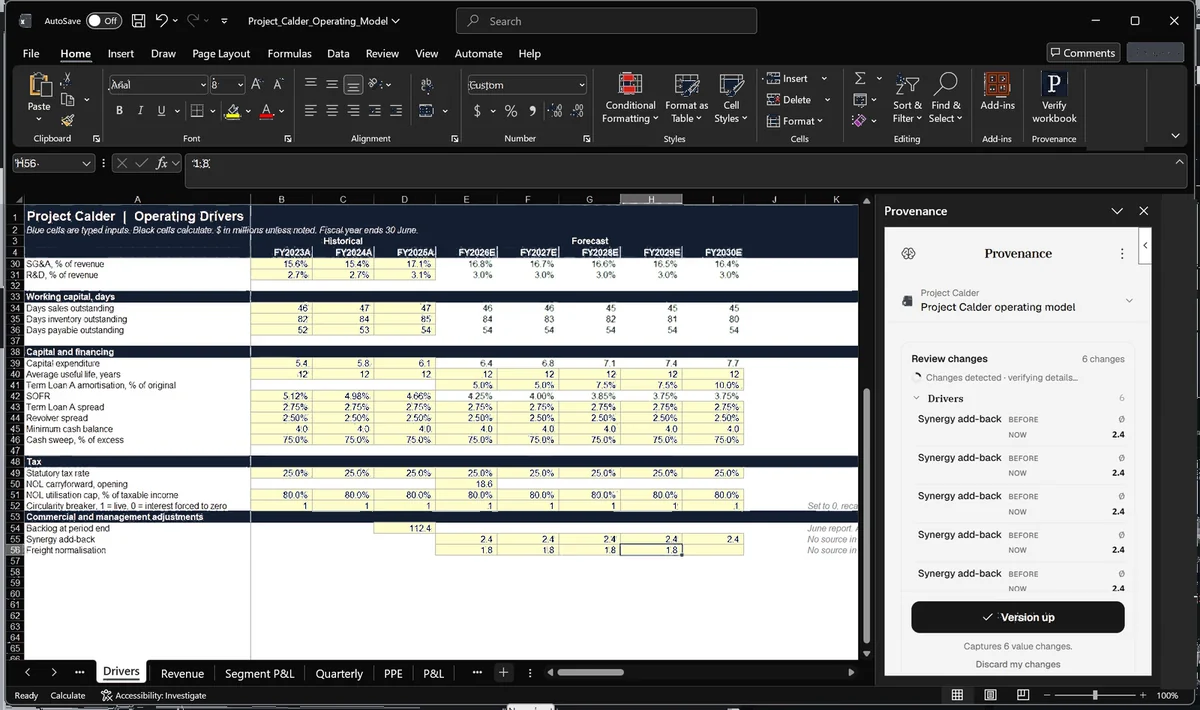
01 Capture
Every meaningful change, recorded. Each version keeps its author, its reason and the exact state of the file. Analysts save from the Excel or PowerPoint add-in as they work, so nobody reconstructs the reason from an email later.
Provenance saves every version of your models and decks, shows what changed and what it moved, and links each figure to the source document behind it. It runs inside Excel and PowerPoint, with a shared workspace for the deal team.
Five steps on the real screen, from one version of a model to the next.
Every meaningful change, recorded. Each version keeps its author, its reason and the exact state of the file. Analysts save from the Excel or PowerPoint add-in as they work, so nobody reconstructs the reason from an email later.
See what moved, and what it moved. A changed driver is traced through valuation, cash flow and every output it touches. A changed growth rate reads as the assumption that moved and everything downstream of it, not as cell D42.
Base and current, side by side. Every changed assumption is called out with the cells it moved, so the reviewer reads ten inputs instead of four tabs.
Each figure against the room. Every figure carries the page it came from. A figure that still ties is marked as tied, one whose source moved is marked as changed, and one the room does not support is marked before anyone signs.
Return what does not hold. Suggest a new value, comment on the change, and send the review to the analyst. The analyst accepts or declines each suggestion from the add-in. When the model is ready, sign it off as final.
Every meaningful change, recorded. Each version keeps its author, its reason and the exact state of the file. Analysts save from the Excel or PowerPoint add-in as they work, so nobody reconstructs the reason from an email later.
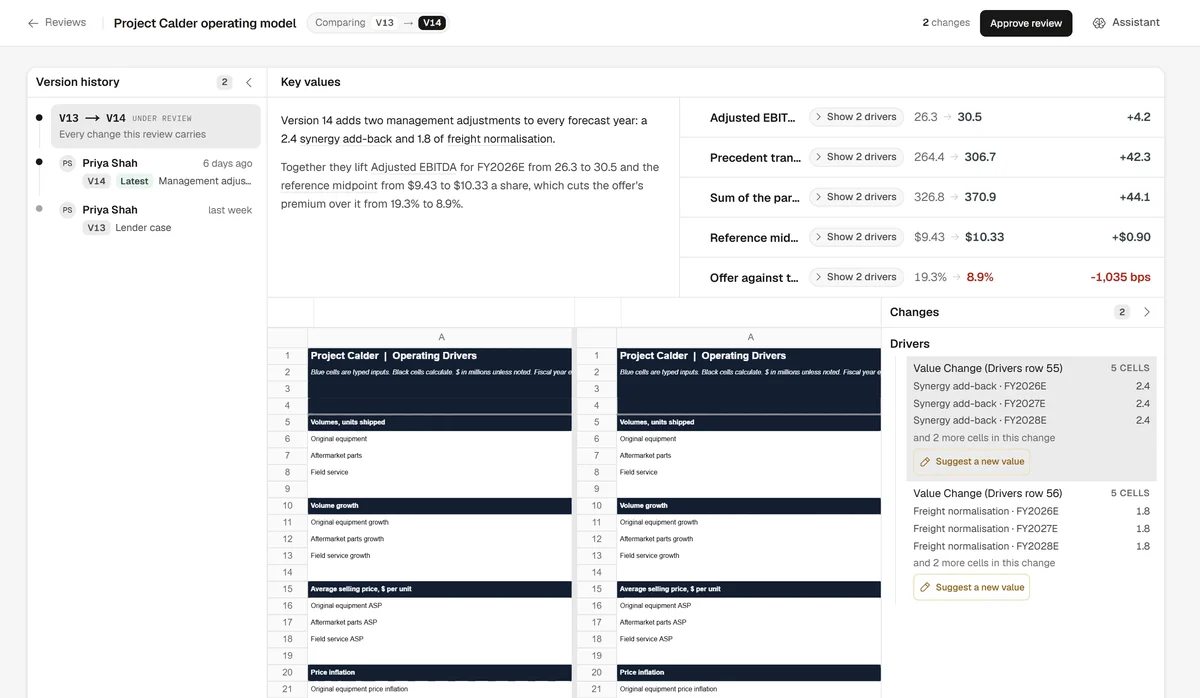
See what moved, and what it moved. A changed driver is traced through valuation, cash flow and every output it touches. A changed growth rate reads as the assumption that moved and everything downstream of it, not as cell D42.
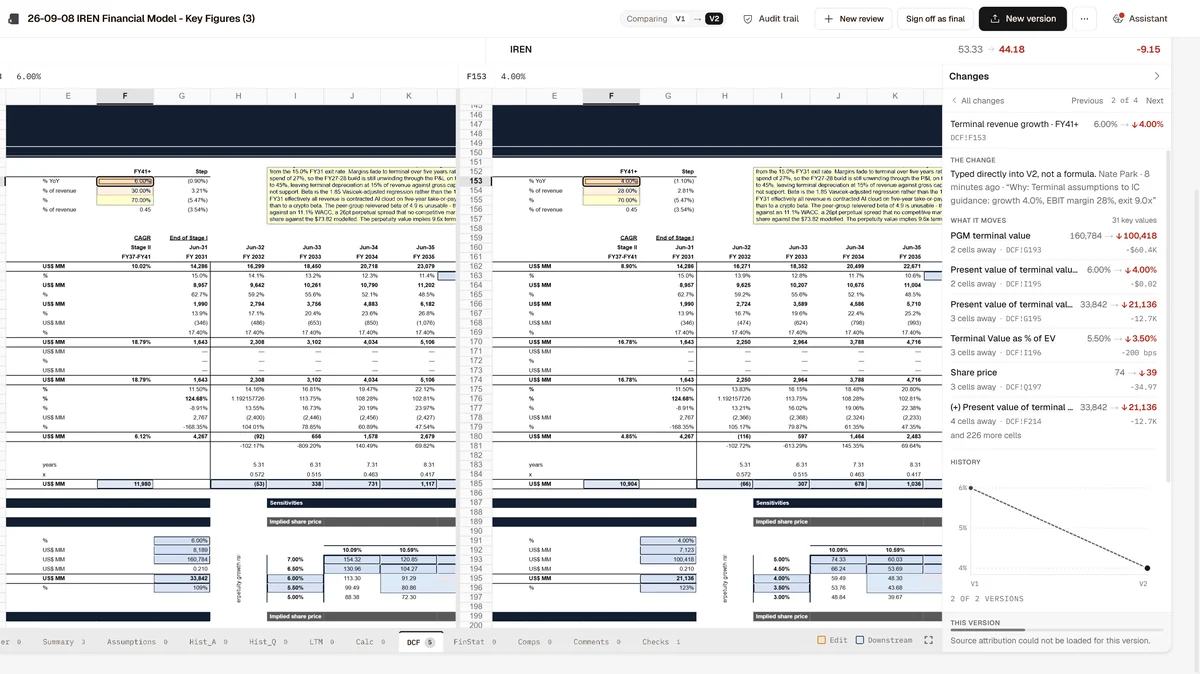
Base and current, side by side. Every changed assumption is called out with the cells it moved, so the reviewer reads ten inputs instead of four tabs.
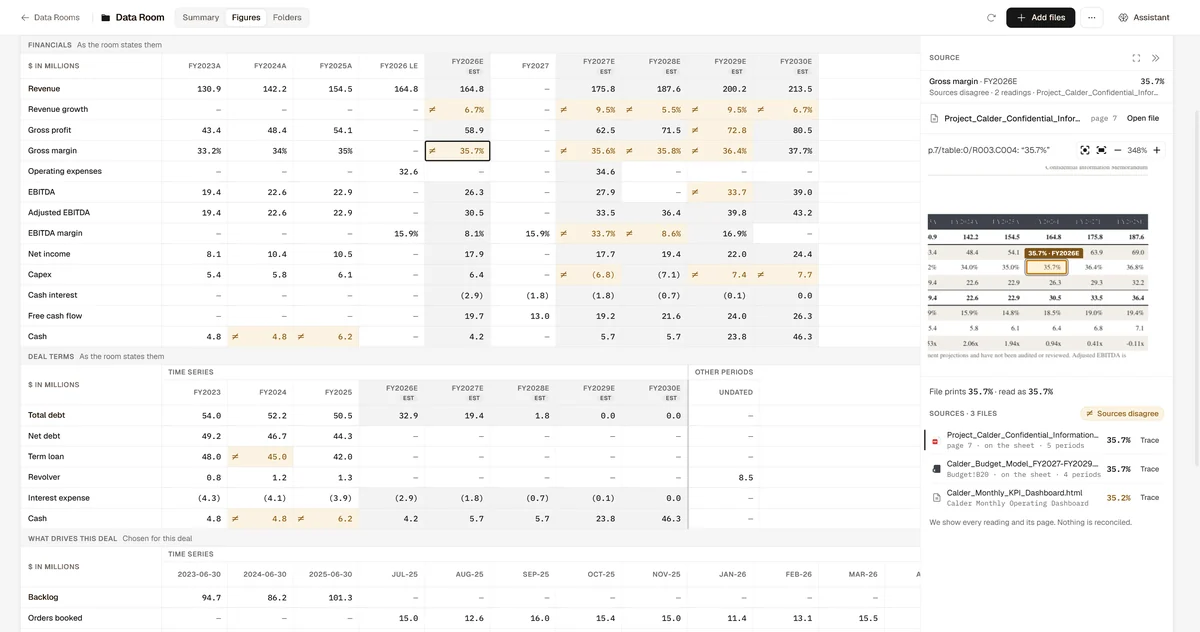
Each figure against the room. Every figure carries the page it came from. A figure that still ties is marked as tied, one whose source moved is marked as changed, and one the room does not support is marked before anyone signs.
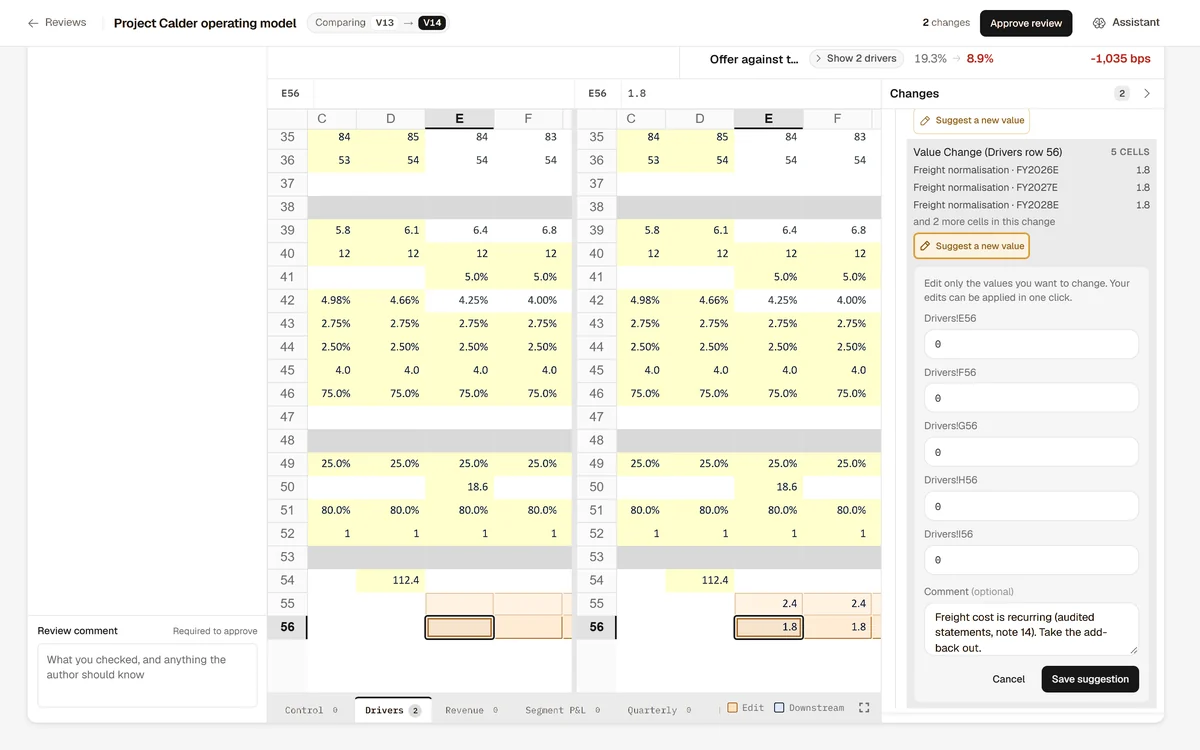
Return what does not hold. Suggest a new value, comment on the change, and send the review to the analyst. The analyst accepts or declines each suggestion from the add-in. When the model is ready, sign it off as final.
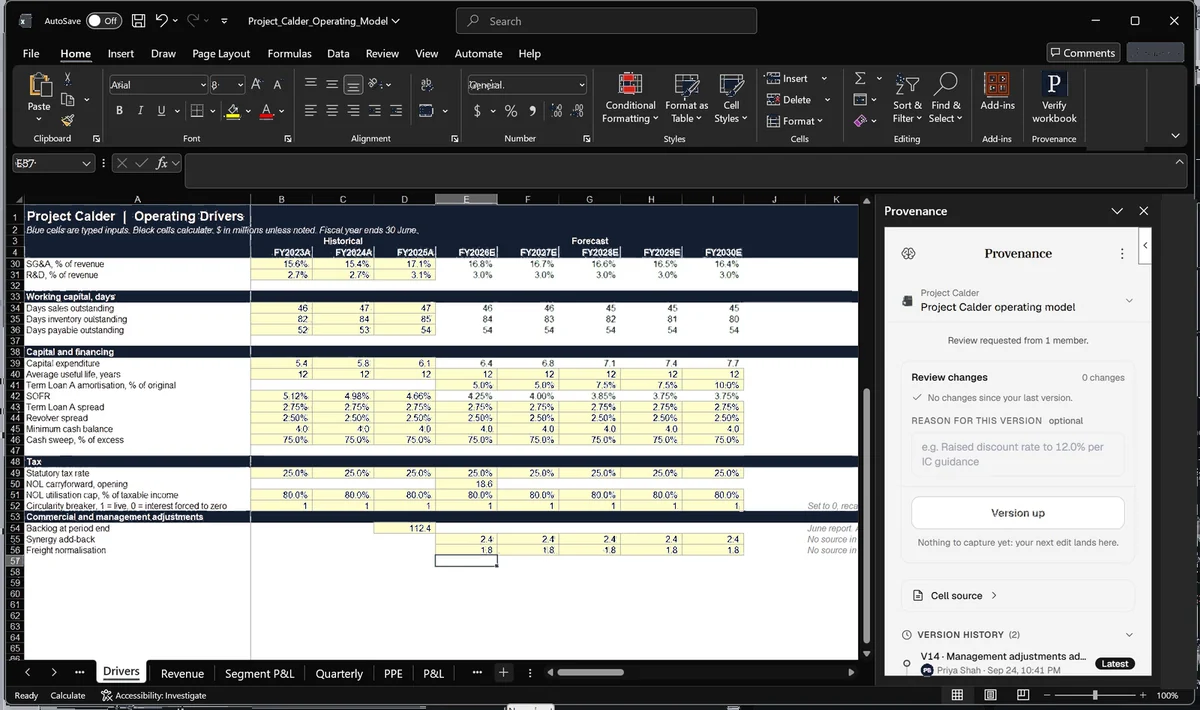
Provenance sits beside the model, flags what looks wrong, shows what changed since the last version and saves the version with its reason, without leaving Excel.
The same pane runs in PowerPoint, where it captures each version of the deck so it can be compared with the last. Fixes and suggestions stay in the pane until a person accepts them. Nothing is written into the model before that.
Every answer is drawn from your models, documents and history, and links back to the exact version it came from.
Not a document name and not a page guess. Open any number in an answer and the source opens beside it, at the page or the cell it was read from. Claims the sources do not support are taken out of the answer, and gaps are stated rather than filled.
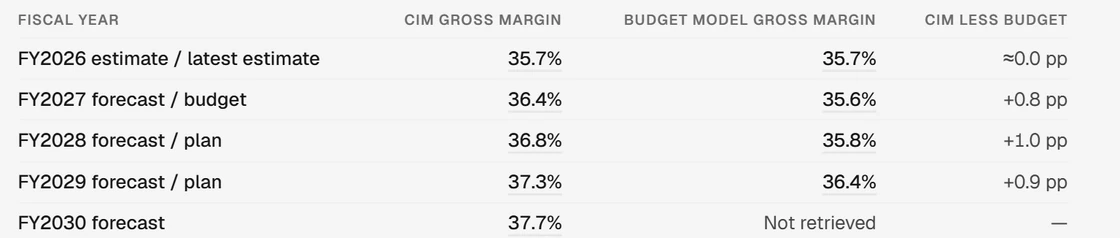
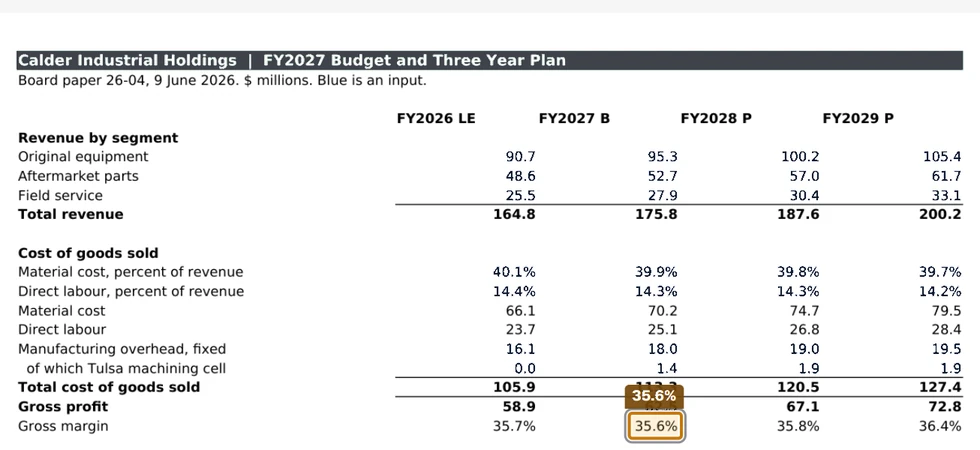
What changed between versions, and what it moved.
See Model ReviewEach version of the deck and the CIM, compared with the last.
See Deck and CIM CheckEach number tied to the page it came from.
See Source LinkingWho changed what, when, and why. Kept after close.
See Audit TrailThirty days on your own model, with two success metrics agreed in writing before day one.