

Ask for a listed company’s model, built from its filings.
The Assistant sends the request to Key Figures, which builds an Excel model from the company’s public filings: a full financial model with its own DCF and comps, or a three-statement forecast. Provenance saves it to your deal as version one, marked as authored with Key Figures, and from there it is reviewed like any other model. In pilot.
Ask in the Assistant
Name the company and the deal it belongs to.
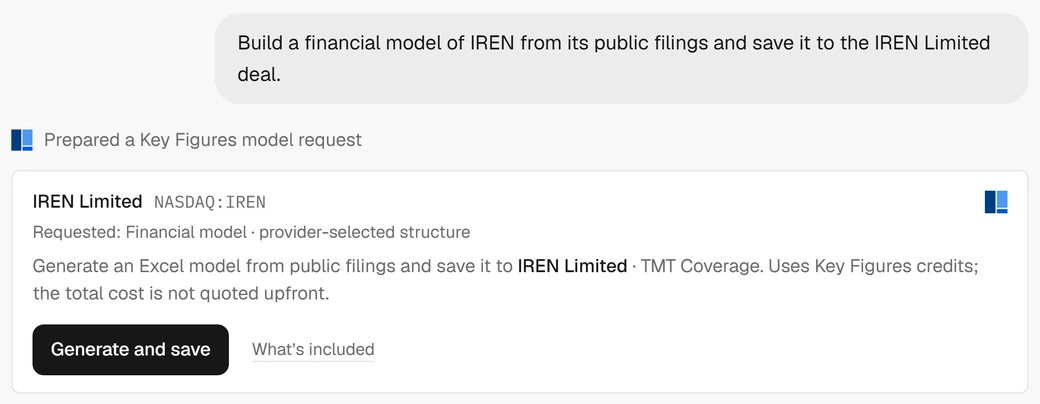
Ask for a model of a listed company and say which deal it is for. The Assistant prepares the request: the company and its ticker, the model asked for, and the deal it will be saved to. Nothing is built until you press Generate and save, and the card says first that the request uses Key Figures credits.

What you can ask for
A full model, or the analysis you need from one.
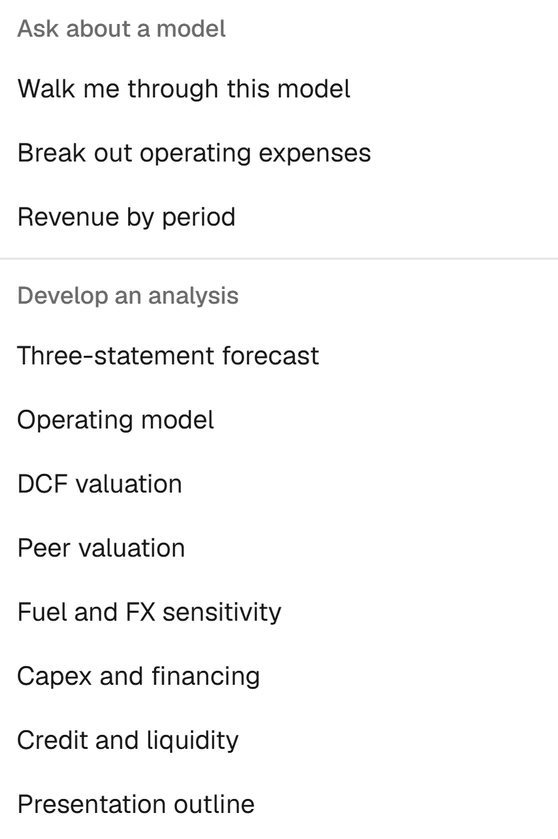
Key Figures builds two kinds of workbook from a listed company’s filings. The Assistant’s Skills menu drafts the rest with you, from a model you already have: each brief opens as a question you can edit before it is sent.

Built by Key Figures
- Financial model
- Key Figures sets the structure. In the IREN model: a valuation summary, a DCF with its cost of capital, trading comps against ten listed peers, the three statements with five years of history and five forecast, and annual, quarterly and LTM history, assumptions and checks.
- Three-statement forecast
- A linked income statement, balance sheet and cash flow forecast.
In the Skills menu
- Three-statement forecast
- Linked earnings, balance sheet and cash flow
- Operating model
- Volumes, pricing, revenue and costs
- DCF valuation
- Free cash flow, discount rate and terminal value
- Peer valuation
- Comparable multiples and an implied value range
- Fuel and FX sensitivity
- Profit and cash-flow exposure under scenarios
- Capex and financing
- Asset purchases, leases, debt and funding needs
- Credit and liquidity
- Cash headroom, debt maturities and coverage
- Presentation outline
- A slide narrative grounded in the model
Built by Key Figures
Key Figures builds it from the company’s filings.
Key Figures reads the public filings and returns an Excel workbook, with its assumptions on their own sheet and its checks on another. The card follows the request while it runs, and you can leave the chat and come back to it.



Valuation, built in
A DCF and trading comps come with it.
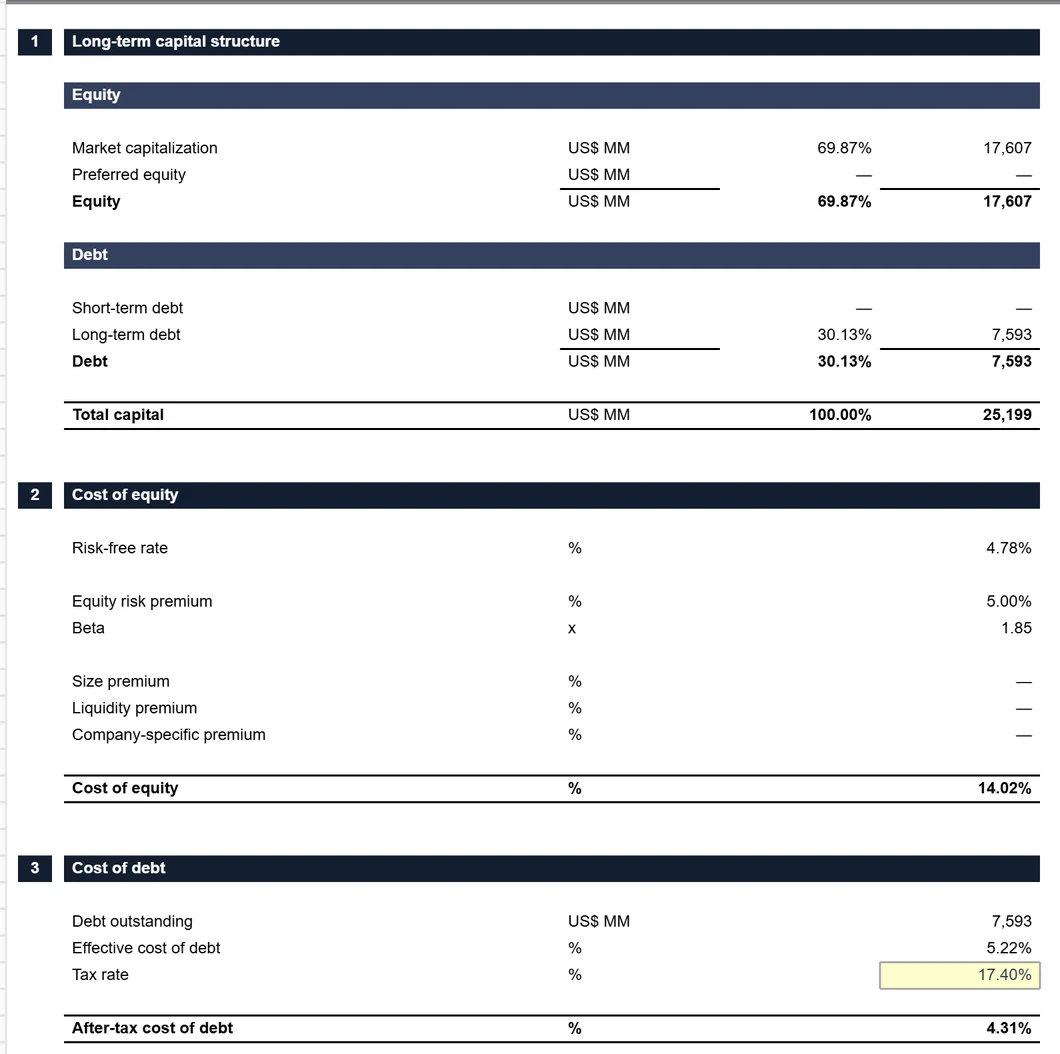
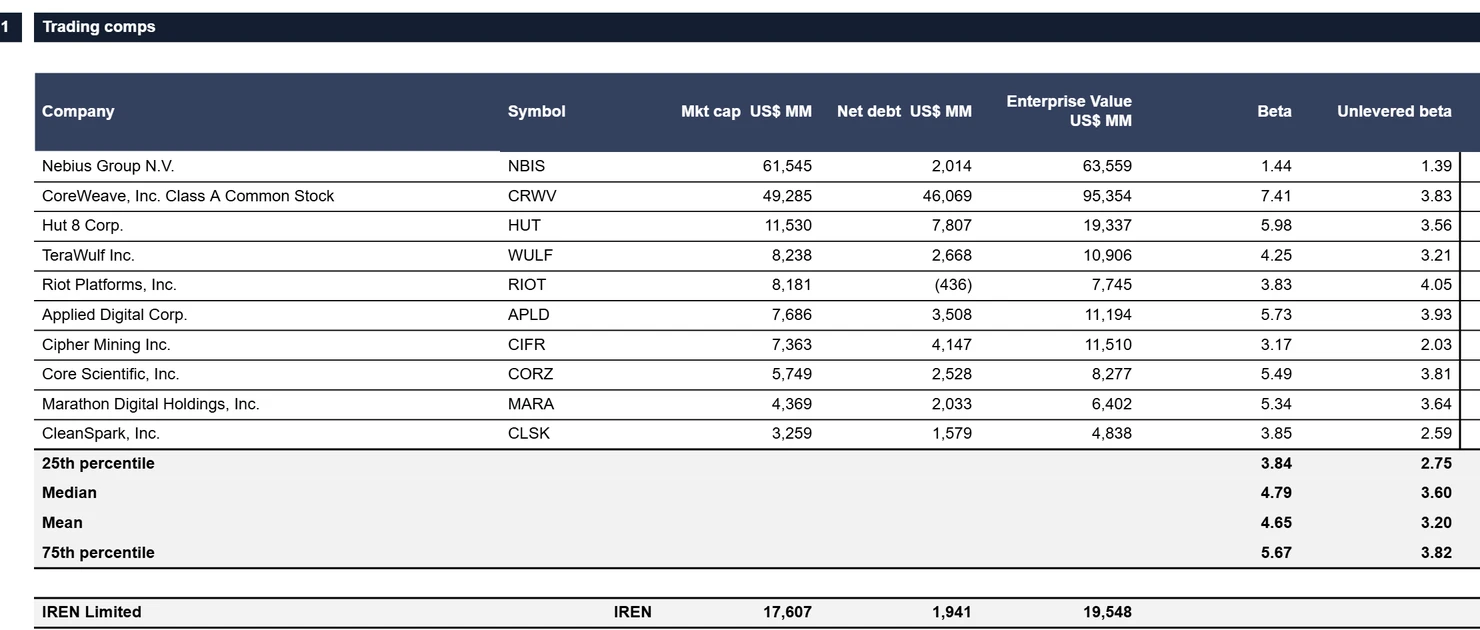
The full model carries its own valuation. In the IREN model: a 14.02% cost of equity built from a 4.78% risk-free rate, a 1.85 beta and a 5.00% equity risk premium, and trading comps against ten listed peers, from Nebius and CoreWeave to CleanSpark.
The statements
Every sheet opens beside the answer.
When the workbook is saved it opens in the chat, from the cover to the checks. In the IREN model: five years of history from the filings and five forecast years, across the income statement, balance sheet and cash flow.
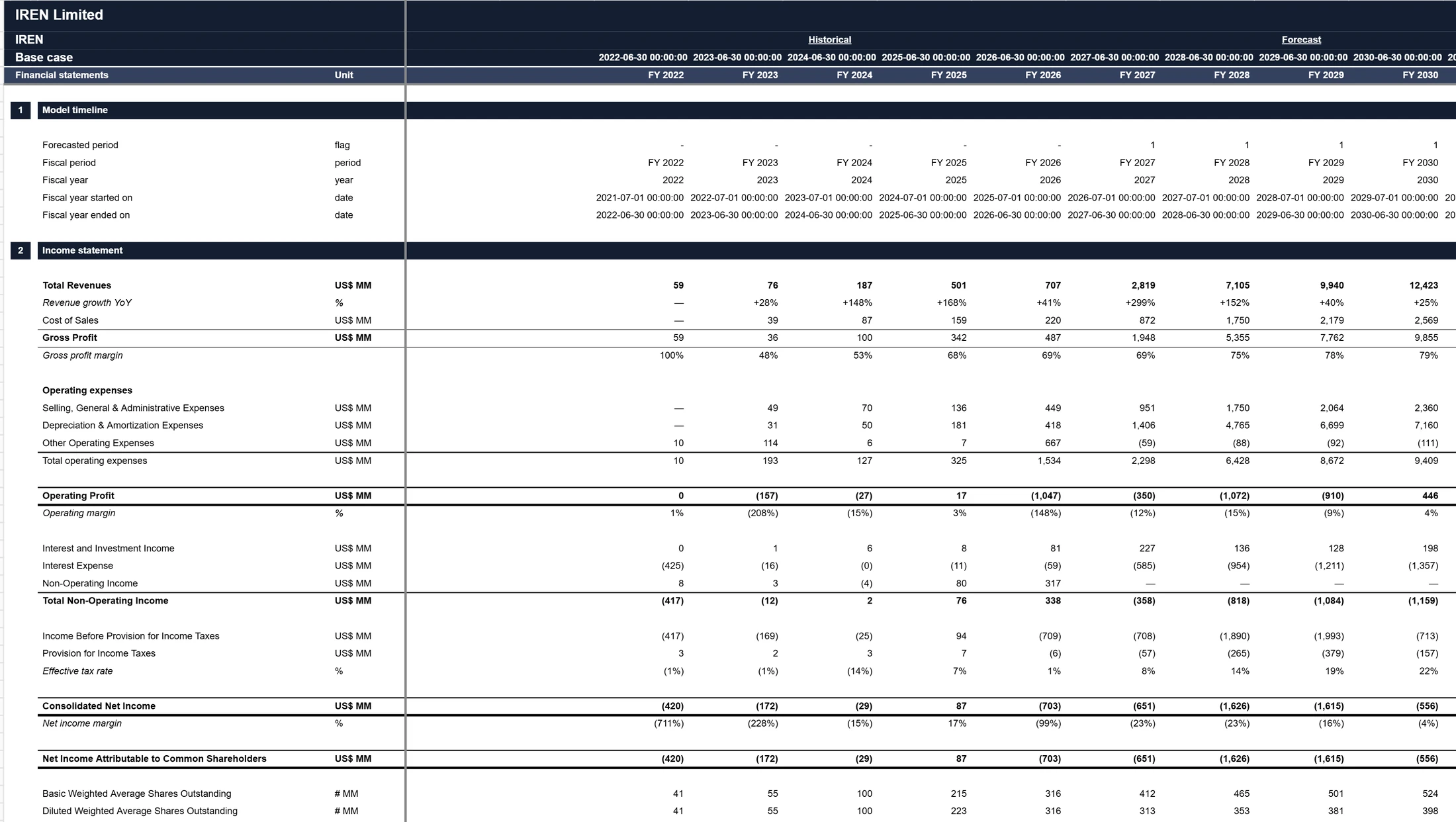
Version one
Saved to the deal as version one.
The workbook is saved to the deal you named, with version history from the start. Version one is marked as authored with Key Figures, not by an analyst, and every change your team makes after it is recorded with who made it and why.


What leaves Provenance
Key Figures gets the ticker. Your deal stays here.
A request sends Key Figures the company’s ticker and the type of model asked for. No chat text, deal or model names, files or data room documents are sent. The workbook that comes back is checked against its reported size before it is saved, and kept exactly as Key Figures delivered it.
Then review it
A built model still gets checked.
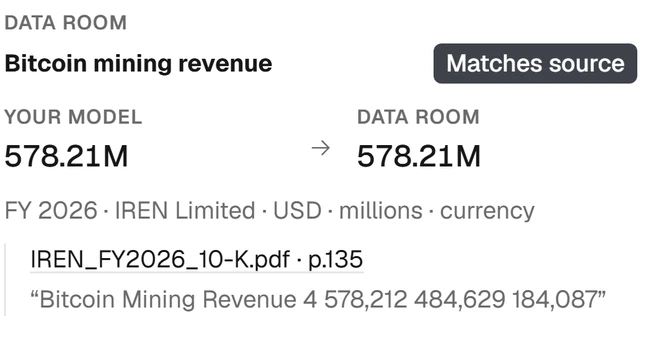
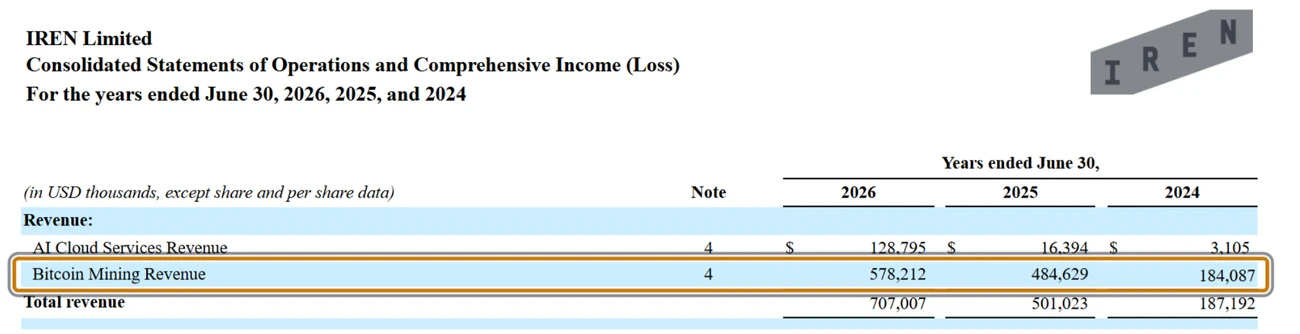
The card says so plainly: the returned workbook still needs review. Open it in Provenance and check its figures against the filings in the deal’s data room, the same way you would check a model your team built.
See it on your own model.
A thirty-minute walkthrough on a model like yours, with the founding team.